Submitting a Case Updated October 26, 2026
Back to Support
How do I send in a stone model or impression case?
The answer
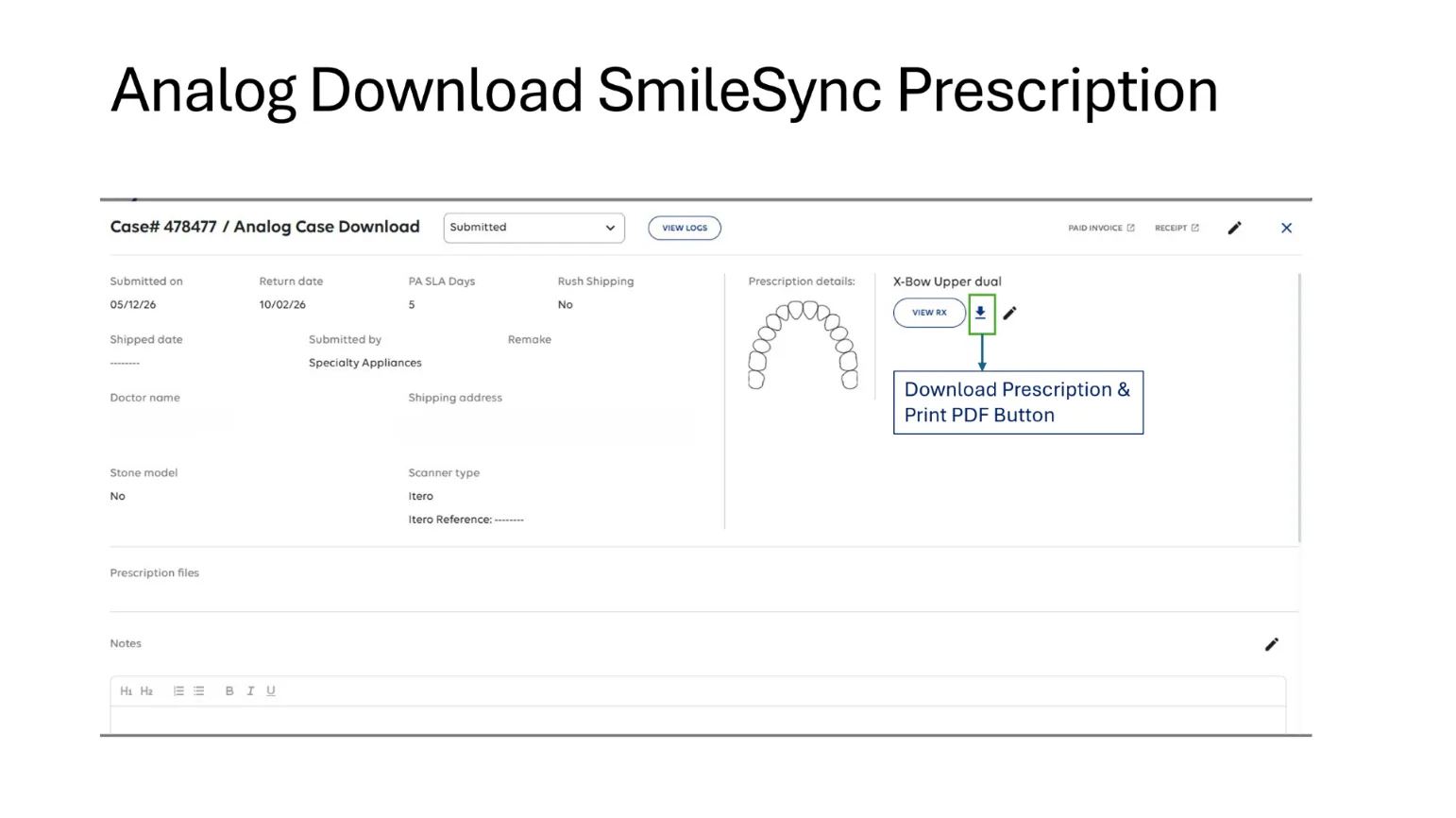
Start your case in SmileSync and select Stone Model as your model submission type. Once you’ve submitted the case, download and print the SmileSync PDF prescription. Package the printed SmileSync prescription with your models or impressions and send them to us.
Remember: Even when you’re mailing physical models or impressions, your case should always be submitted through SmileSync first.
Downloads
- What to send: Herbst®, MARA, Xbow® (PDF)
- What to send: Expansion/Distalization & Metals (PDF)
- What to send: Removable Retainers (PDF)
- What to send: Functionals (PDF)
- What to send: Splints (PDF)
- What to send: Indirect Bonding (PDF)
- What to send: Fixed Retainers (PDF)
- What to send: Clear Image® Aligners (PDF)
- What to send: Positioner (PDF)
See also
Was this helpful?